

Roam Free with
Smart Town WiFi
Trilight Mobile is proud to provide SmartTown, a secure
WiFi option in town when you’re clocked in on the go.

What to know about SmartTown
- SmartTown WiFi has better range and is more secure than other public WiFi networks.
- SmartTown WiFi users go through an authentication process, ensuring your connection is protected from hackers, viruses, and other online threats.
- You can save your mobile data for when you really need it.
- No more capping out your data plan or experiencing throttled speeds. Use SmartTown around town and save your data for back-up.
- Your connection travels with you around town.
- No need to log in and out of multiple WiFi networks around town. Log in once to SmartTown and have access at the coffee shop, the library, the ball field and more.
Now, nothing can slow you down!
Connect to WiFi automatically while you are out and about in our service area. Secure hotspots help your workflow when you are around town. The set-up process is quick, and the WiFi connection is safe and secure.
To set up your encrypted SmartTown Passpoint® profile, follow these steps:
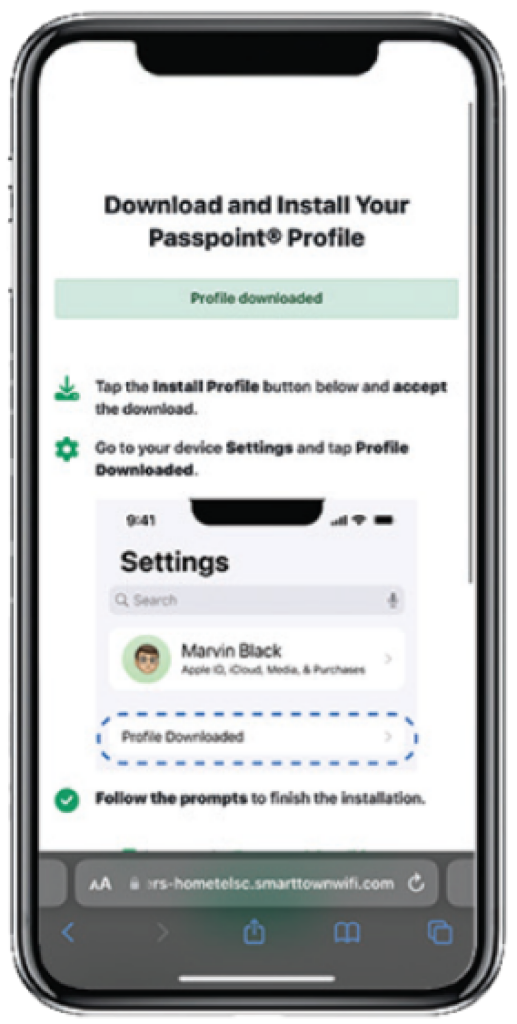
Step 1
Check your email for instructions
Open your device settings and select Profile Downloaded (iPhone only).
Step 2
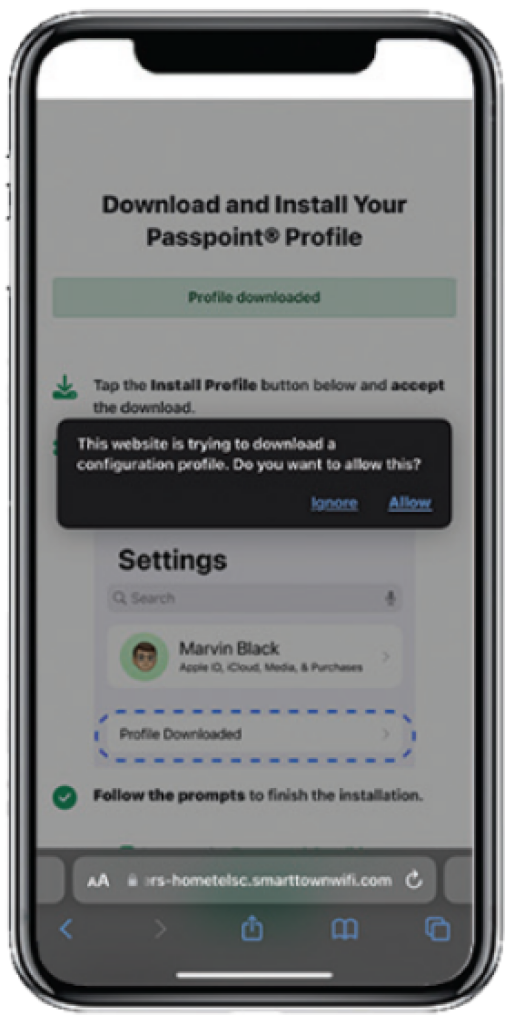
Allow Download
Download the secure profile by tapping Allow when prompted.
Step 3
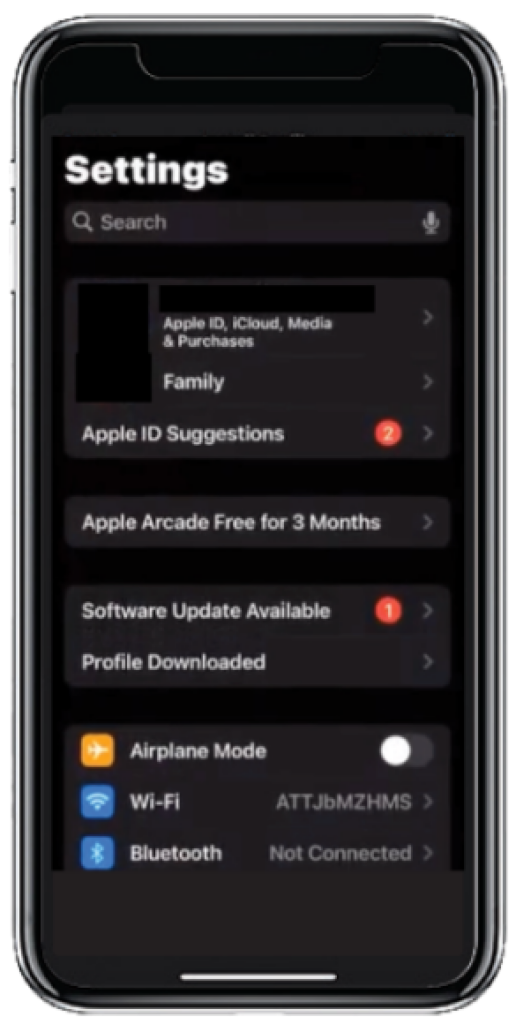
Access Settings
Open your device settings and select Profile Downloaded (iPhone only).
Step 4
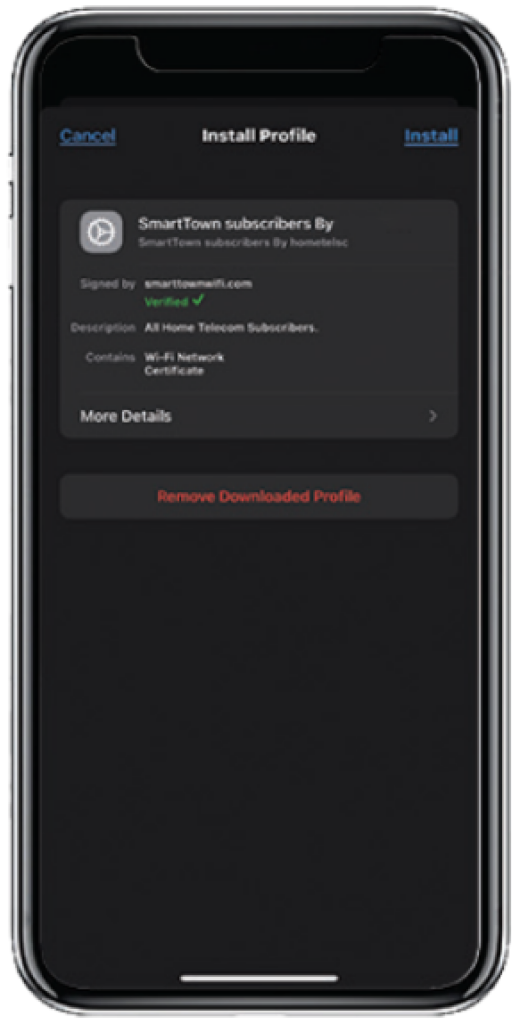
Install Profile
Tap install and enjoy protected, high-speed internet when in range of community-wide SmartTown WiFi network.
FAQ
Is this Public WiFi?
Trilight is providing a secure community WiFi service, but it is not an open network. To ensure users on Trilight’s network are safe, connecting to it requires an authentication process. This process ensures your data is encrypted and your information is protected when using the SmartTown network.
Is it going to take long to complete the authentication process?
No, it is a simple 5 step process that should take about 2 minutes. We won’t ask for personal information, or a payment card.
Will I have to log-in every time I use SmartTown WiFi?
Once you install Passpoint®, you will automatically connect to the hotspots that are part of your SmartTown community.

High Speed Connection on the Go
Get SmartTown WiFi for a safe and secure connection.